The fastest way to speed up pregnancy in The Sims 4 is a cheat from EA’s own pregnancy guide. Open the cheat console with Ctrl + Shift + C, type testingcheats true, then enter sims.add_buff buff_pregnancy_inlabor and your Sim goes straight into labor. EA lists three more codes that move the pregnancy to a set trimester. If you want every pregnancy to be shorter, or a code does nothing in your game, the free MC Command Center mod (MCCC) can jump to labor or set pregnancy length from 1 to 120 days.
Why players want to skip the wait
EA says a Sims 4 pregnancy lasts about three days. That sounds short, but it adds up. The first trimester moodlet lasts 24 hours, the bump shows around 24 hours after conception, and the third trimester ends whenever labor starts, which according to the Sims Wiki can take a day or more. In a legacy challenge with 10 generations, that is 30 or more Sim days spent waiting for babies, plus the motive drain and maternity leave that come with every pregnancy.
| Stage | What happens | Length |
|---|---|---|
| First trimester | Pregnancy test at the toilet (15 Simoleons) shows the “First Trimester” moodlet. Possible morning sickness. | About 24 Sim hours |
| Second trimester | The Sim looks pregnant and may wake up uncomfortable from morning sickness. | About 24 Sim hours |
| Third trimester | Birth can start at any time, normally within 3 days of the third trimester starting. | One day or more |
| Labor | Lasts several hours. The Sim gives birth at home or at the hospital. | Several Sim hours |
How to speed up pregnancy with cheats, step by step
These are the steps and codes from EA’s Sims 4 pregnancy guide on help.ea.com:
- Select the pregnant Sim so they are the active Sim.
- Press Ctrl + Shift + C to open the cheat box.
- Type
testingcheats trueand press Enter to turn on cheats. - Enter one of the codes below and press Enter.
| Code | What it does |
|---|---|
sims.add_buff buff_pregnancy_trimester1 | Sets the pregnancy to the first trimester |
sims.add_buff buff_pregnancy_trimester2 | Sets the pregnancy to the second trimester |
sims.add_buff buff_pregnancy_trimester3 | Sets the pregnancy to the third trimester |
sims.add_buff buff_pregnancy_inlabor | Sends the Sim into labor |
Once labor starts, you can have the baby at home or send the Sim to the hospital. One note: the Sims Wiki says sims.add_buff was restricted in the June 2018 patch, while EA’s current guide still lists these codes. If a code does nothing in your game, use MCCC below. For more console codes around babies and pregnancy, see our Sims 4 pregnancy cheat guide.
MC Command Center: change the duration or use as a fallback
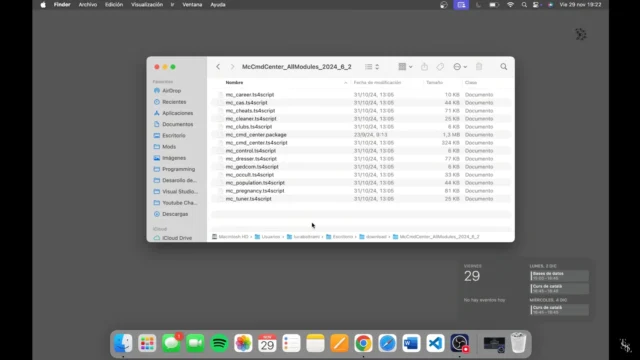
MCCC is a free PC and Mac mod. Its MC Pregnancy module has two tools that matter here, both listed in the menu documentation on the creator’s site, deaderpool-mccc.com.
Jump to a stage: Pregnancy Phase
Click the pregnant Sim and open MCCC > MC Pregnancy > Pregnancy Phase. The options are:
- Pregnant: 1st Trimester
- Pregnant: 2nd Trimester
- Pregnant: 3rd Trimester
- Pregnant: In Labor, the fastest route to a baby
These options only show up on Sims who are already pregnant. The same menu also has Pause Pregnancy and Resume Pregnancy, which is useful if you want to slow one Sim down instead.
Shorten every pregnancy: Pregnancy Duration
In the MCCC settings, go to MC Pregnancy > Other Pregnancy > Pregnancy Duration. The default is 3 days and you can set any value from 1 to 120. Set it to 1 and every pregnancy in your game takes 1 Sim day. MCCC warns that a long duration combined with its “Allow Pregnancy Aging” setting can let an elder Sim die before giving birth, so keep that setting off if you raise the duration instead.
Version and install
On 13 November 2026, the MCCC downloads page lists version 2026.6.0 as tested with the 27 October 2026 patch (PC 1.129.39.1030, Mac 1.129.39.1230). Download it only from deaderpool-mccc.com, Deaderpool’s Patreon or the official MCCC Discord, and check our Sims 4 mod status page after every patch. If you are new to script mods, our mod manager guide covers how to keep them in order.
Darielle shows a mod-based way to set the pregnancy stage in this video from June 2021. Menus can have changed since then.
Without cheats or mods
If you would rather not use cheats, you can still make the three days pass with less waiting:
- Run the clock at speed 3 and let the pregnant Sim sleep. Each trimester is about one Sim day, so a few nights of sleep cover most of it.
- Stay home in the third trimester. Labor needs the Sim on their home lot or at the hospital, so keeping them away only delays the birth.
- Avoid vacations late in the pregnancy. The pregnancy pauses after the second trimester until the Sim returns home.
What about the lifespan setting? Many guides say a Short lifespan makes pregnancy faster. The Sims Wiki’s Lifespan page only lists how long each life stage lasts on Short, Normal and Long, and EA describes pregnancy as about three days without tying that to lifespan. We could not confirm that Short lifespan shortens pregnancy, so do not count on it.
Consoles
On PlayStation and Xbox you open the cheat console by pressing all the triggers on the front of the controller at once, then turn on testingcheats true the same way. EA’s pregnancy guide only gives the PC key combination, so we have not confirmed the pregnancy codes on console. MCCC is not an option there, since EA’s help pages state that mods are not available on console.
Other pregnancy controls that do work
- Baby gender: eating strawberries or listening to Pop raises the odds of a girl, and eating carrots or listening to Alternative raises the odds of a boy. More in our baby gender guide.
- Twins and triplets: the Fertile reward trait, the On Ley Line lot trait (City Living), the Fertility Massage (Spa Day) and the Elixir of Fertility (Outdoor Retreat) raise the odds. See how to have twins in The Sims 4.
- Number of babies with MCCC: Pregnancy Phase > Specify Offspring Count sets 1 to 3 babies.
FAQ
What is the cheat to go into labor in The Sims 4?
Turn on testingcheats true, select the pregnant Sim and enter sims.add_buff buff_pregnancy_inlabor. That is the code in EA’s own pregnancy guide.
What if the labor cheat does nothing?
Check that cheats are on and the pregnant Sim is selected. If it still does nothing, install MCCC, click the Sim and choose MCCC > MC Pregnancy > Pregnancy Phase > Pregnant: In Labor.
How long is a pregnancy in The Sims 4?
About three Sim days according to EA, roughly one day per trimester, followed by several hours of labor. With MCCC you can set it anywhere from 1 to 120 days.
Can I speed up pregnancy on PS4, PS5 or Xbox?
You can open the cheat console with all front triggers and try the same codes, but EA’s guide only describes them for PC. Mods such as MCCC are not available on console, so speed 3 and sleep are the sure options.