The Sims 4 October 27, 2026 update is out. It brings the game to version 1.129.39 (PC 1.129.39.1030, Mac 1.129.39.1230, console 2.40) and adds free elder clothes and furniture, new toggles for weight and muscle changes, a big food and dining pass, more than 150 bug fixes and 14 crash fixes. If you play with mods, check each script mod before you load a save: MC Command Center 2026.6.0 is already confirmed for this patch.
Version numbers
| Platform | Version |
|---|---|
| PC (EA app, Steam) | 1.129.39.1030 |
| Mac | 1.129.39.1230 |
| PlayStation and Xbox | 2.40 |
| Release date | October 27, 2026 |
You can see your version in the bottom left corner of the main menu. If it still says 1.128, restart the EA app or Steam and let the update download.
Free elder content for everyone
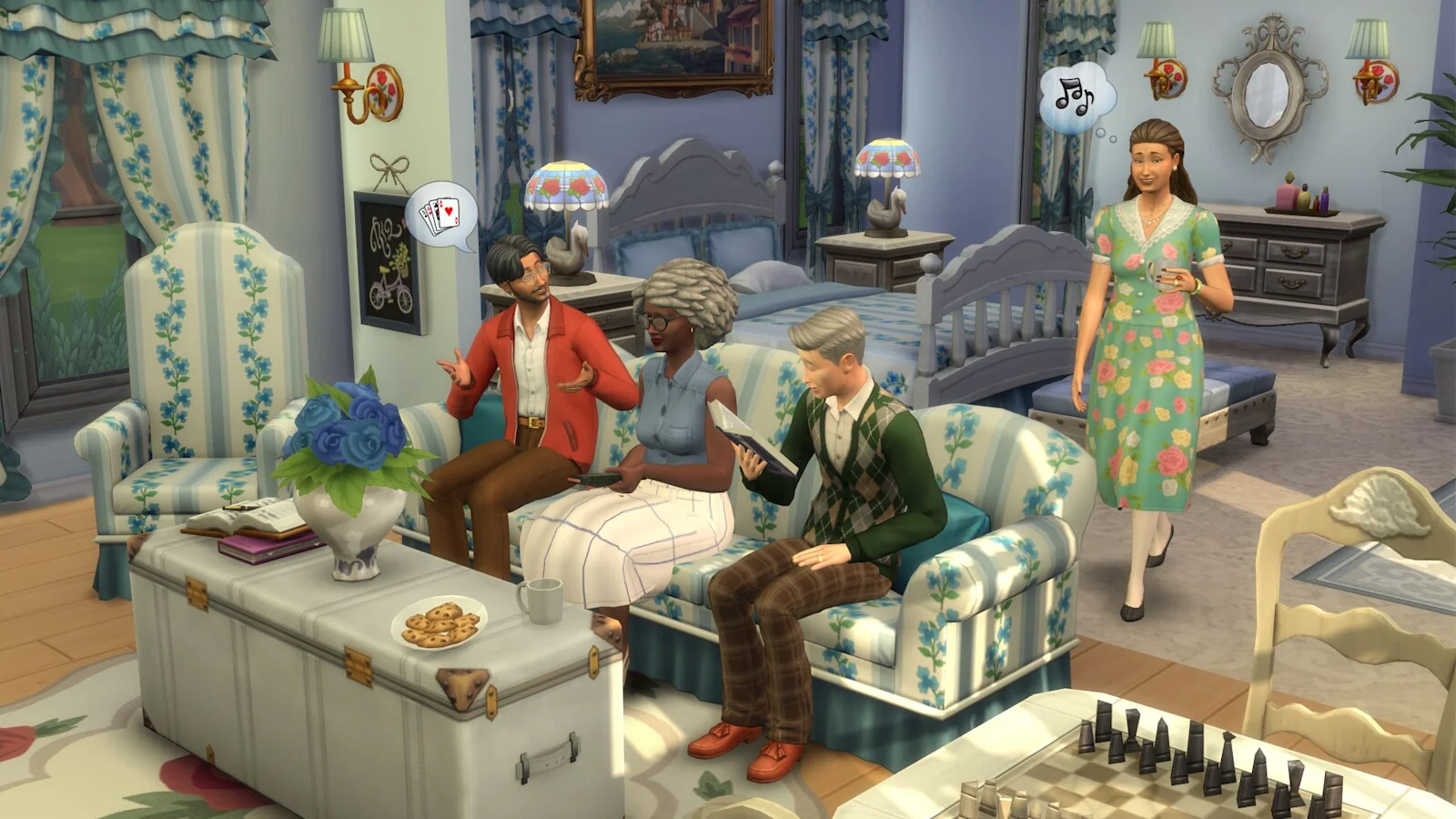
Every player gets a small free drop for elder Sims in the base game. There is no pack to buy.
- Create a Sim: 2 new hairstyles (Quiff Side Part and Half-Down Waves), 4 new items (a polo shirt with cardigan, a long dress with lace and buttons, a sleeveless blouse and a long skirt with pockets) and 5 recolors of existing clothes such as the Granny Dress and Open Cardigan.
- Build Mode: 11 items, among them The Needlepoint Nook Chair, The Floral Fossil sofa, The Early Bird Bed, Granny’s Roost Rug, three sizes of Heritage Home Drapery and the Bloom & Gingham Delight wallpaper.
- Styled content: one new Styled Room in Build Mode, four elder Styled Looks in Create a Sim, and the four model Sims as a household on the Gallery.
Weight and muscle toggles
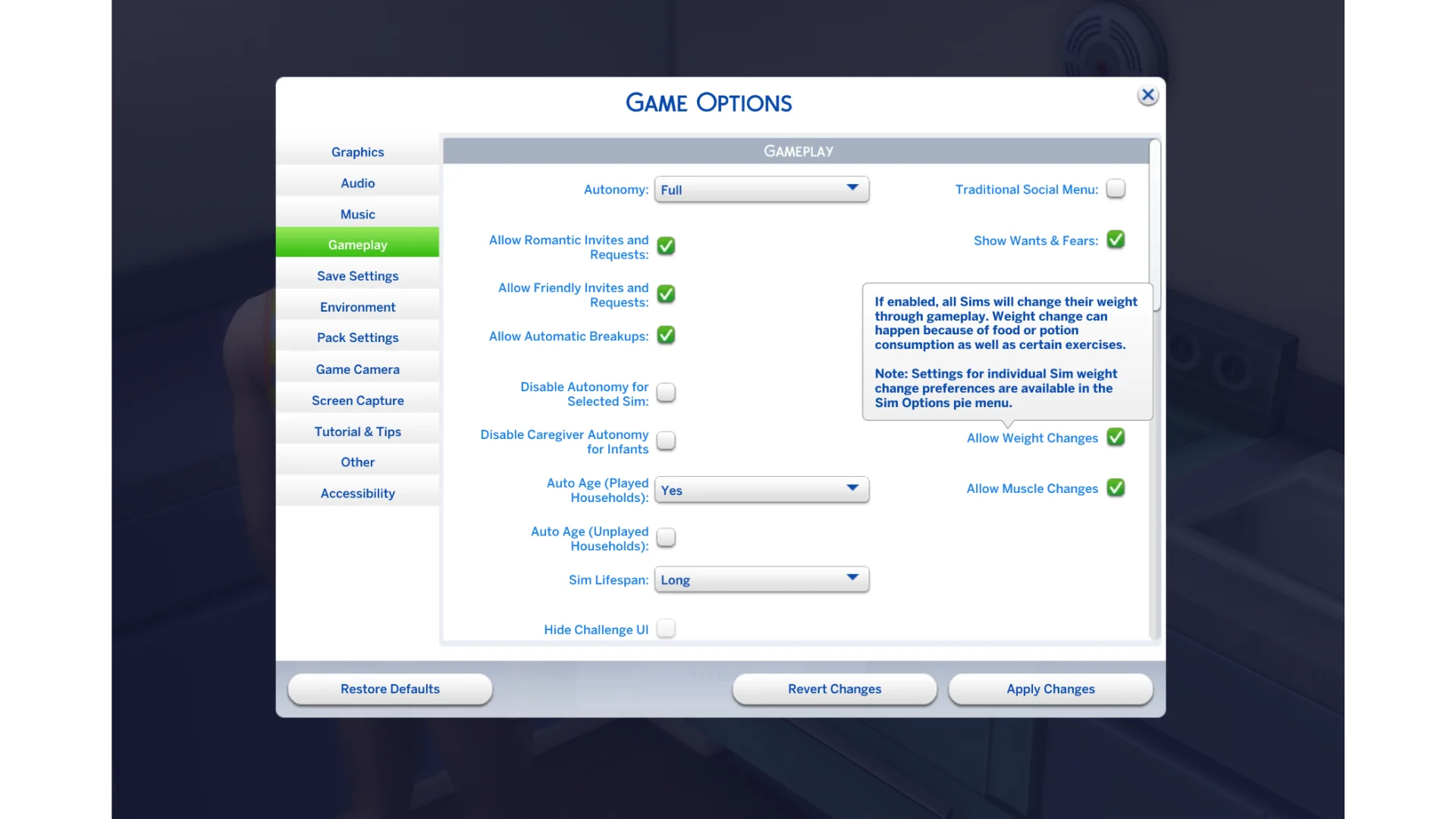
This is the change many players asked for. Game Options now has two separate settings, “Allow Weight Changes” and “Allow Muscle Changes”, that work for the whole save. You can also turn them off for one Sim with new self-interactions under Sim Physique. The two settings are independent, so you can keep weight changes and stop muscle gain. They do not apply to cats, dogs or horses. EA also fixed the extreme muscle gain or weight loss that Sims got from free weights (Adventure Awaits) and sword fighting (royalty & Legacy).
Food, dining and drinks
- “Open” is now at the front of the fridge pie menu.
- Prices and calories for every food and drink in the base game and all packs have been retuned to be more consistent.
- Hungry Sims now prefer leftovers in the fridge or on the counter instead of cooking a new meal.
- Family Recipes (Businesses & Hobbies) now accepts more than 375 existing dishes from the base game and all packs.
- Baked goods get a “Quickly Decorate” interaction when they are not in the middle of a counter. Before, Sims often failed to route to them.
- Sims stay seated more often when they eat and talk, stop putting food in display cases, and can drag food made by another Sim into the fridge.
Smaller quality of life changes
- Lockable TVs. Televisions can be locked to certain Sims, the same way computers can.
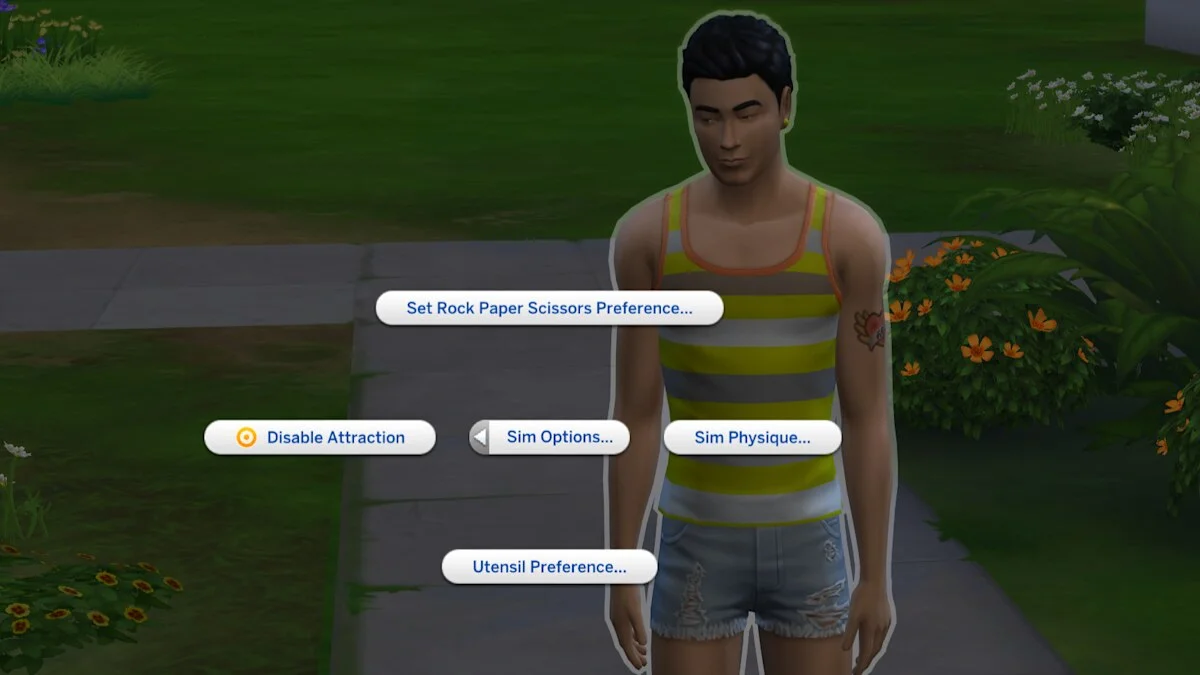
- “Sim Options…” menu. Self-interactions such as Disable Attraction, Utensil Preference and Sim Physique are now in one category when you click your active Sim.
- Save backups. The game tracks backups better if you have not played for a while.
The fixes that matter most
- Broken saves load again. EA fixed an infinite white screen and a save corruption that caused an endless loading screen in some saves. Some lot details in those saves may need rebuilding.
- Endless loading when placing lots after heavy use of the Move Objects cheat. EA made the navmesh more robust.
- Frozen Sims after naps and while planning routes.
- Occults: fairies bitten by a werewolf now become full werewolves without black visual corruption, and werewolf faces no longer distort after transformations.
- Life & Death: reborn Sims now join the household and show up in Create a Sim.
- Birthday party invites from NPCs happen more often, and family members in other households can invite each other.
- Island Living: the ocean “Swim” interactions are back for all players, and Sims can swim at the Mua Pel’am diving buoy again.
- Adjacent apartments no longer lose their furniture when you load in.
Dine Out: 25+ fixes
Restaurants were the biggest single target. We covered the first round of Dine Out fixes in May, and this patch goes much further. Diners no longer leave the table to jog, hug, do homework, dig in the trash, watch TV, give themselves a pep talk, play with paper airplanes or start a sword duel. Waiters should show up for their shifts, dishes get cleaned at busy waiter stations, and customers order Snowy Escape dishes when they are on the menu. EA also added guardrails against “Error Code: 123:6346675a” when travelling to some restaurants.
Two notes for builders. EA changed the footprint of square tables with a light in the middle, and says some of those tables could be deleted from old builds, mostly where the Move Objects cheat was used. And the fix that stops the game from jumping to Create a Sim when you change a staff uniform does not work in old saves.
What it means for your mods
EA writes again that many of the top crash reports are linked to outdated or conflicting mods. Two of the 14 crash fixes deal directly with mods: an error message from a specific mod during lot unload, and a mod-related crash from male uniforms on Retail lots. The patch also retunes all food tuning and moves several self-interactions to a new pie menu category, so food, cooking, restaurant and pie menu mods are the ones to check first.
What modders have confirmed so far (October 28, morning). We follow this day by day in Sims 4 patch 1.129 and your mods.
| Mod | Status for 1.129 | Source |
|---|---|---|
| MC Command Center | Works. Version 2026.6.0 is tested with 1.129.39 | deaderpool-mccc.com |
| Basemental mods | No update needed, according to Basemental | Basemental on Patreon |
| LittleMsSam mods | New “Mod Updates” post on October 27. Check each mod’s notes | LittleMsSam on Patreon |
Everything else is “Not checked” until the creator confirms it. Follow the list on our Sims 4 mod status page, and use our guide on how to prepare your mods for a patch and fix them after if your game crashes or shows errors. A mod manager makes it faster to find which file is out of date.
What comes next
In the Laundry List from October 20, EA said the December update will focus on top community issues and high-priority crashes, such as performance drops after long sessions, longer load times, gamepads that stop working and Error Code 801 when travelling. A larger patch is planned for early next year.
FAQ
What is the latest Sims 4 version?
Since October 27, 2026 the latest version is 1.129.39.1030 on PC, 1.129.39.1230 on Mac and 2.40 on console.
How do I turn off weight gain in The Sims 4?
Open Game Options and untick “Allow Weight Changes”. To do it for one Sim, click the Sim, open Sim Options and use the Sim Physique interactions.
Is the free elder content a pack?
No. The hairstyles, clothes and Build Mode items come with the free update. You only need to update the game.
Does MCCC work with the October 27 update?
Yes. Deaderpool lists MC Command Center 2026.6.0 as tested with patch 1.129.39. Older versions may not work.
Sources: Order Up! The Next Quality of Life Update is here! (EA patch notes, October 27, 2026), Laundry List, October 20, 2026 (EA). Updated October 28, 2026 with the final patch notes.