Blog

  • Transform your sims with these top Sims 4 male hair options

    Transform your sims with these top Sims 4 male hair options

    This post explores various Sims 4 male hair choices, focusing on custom content (CC) and Maxis Match styles. Discover how to give your male Sims a standout look!

    Creating a unique and stylish Sim in Sims 4 can be a fun but challenging task, especially when it comes to hair. With countless options available for male Sims, choosing the right hairstyle can significantly enhance your character’s overall look and personality.

    Why Sims 4 male hair matters

    Hair is more than just a part of appearance; it reflects a Sim’s personality and style. Whether creating a professional business mogul or a laid-back surfer dude, the right hairstyle adds depth and realism to your character. With diverse hair options, Sims can look as unique and authentic as real people.

    In Sims 4, male hair choices have expanded significantly, offering a range of styles that cater to different tastes and preferences. This selection includes everything from classic cuts to edgy, modern styles. The importance of choosing the right hair cannot be overstated, as it completes the character’s look and helps convey their personality and story.

    Exploring Sims 4 male hair cc

    Custom content (CC) is a fantastic way to expand your Sims 4 experience. Created by talented community members, CC hair options provide unique styles unavailable in the base game. For male Sims, CC hair includes an array of trendy, fashionable, and even avant-garde options.

    Downloading CC hair is straightforward. Many websites host these custom files, allowing players to browse and select their favorites. Once downloaded, adding them to the game is a simple process, and the new styles will be available in Create-a-Sim (CAS). The variety and creativity in CC hair ensure that every Sim can have a unique look.

    Popular sites for Sims 4 male hair cc

    Several websites stand out for offering high-quality Sims 4 male hair CC. Sites like The Sims Resource, Mod The Sims, and TheModsBabe host a plethora of styles created by talented designers. These platforms are user-friendly and frequently updated, ensuring players always have access to the latest trends.

    The Sims Resource is particularly well-known for its extensive library and easy navigation. Mod The Sims provides a community-driven experience with detailed descriptions and reviews. TheModsBabe offers an array of stylish and modern hair options. Exploring these sites can lead to discovering the perfect hairstyle for any Sim.

    Top 5 sims 4 male hair cc to try

    Sleek and stylish

    For a sophisticated look, sleek and stylish CC hair options are a great choice. These hairstyles often feature clean lines and a polished finish, perfect for Sims in professional careers or formal settings. Examples include meticulously groomed side parts and modern pompadours.

    Edgy and modern

    Edgy and modern hairstyles bring a fresh and contemporary vibe to your Sims. These styles often include unique cuts, bold colors, and innovative textures. Whether it’s a trendy undercut or a vibrant mohawk, edgy hair adds personality and flair.

    Classic cuts

    Classic cuts never go out of style. These timeless hairstyles include options like the crew cut, the buzz cut, and the traditional short back and sides. They are versatile and suitable for various Sim personalities and storylines, from military officers to everyday citizens.

    Long and flowing

    Long hair isn’t just for female Sims. Many CC creators have designed long and flowing hairstyles for male Sims, perfect for creative or free-spirited characters. These styles can range from wavy locks to straight, sleek tresses, adding a unique touch to any Sim.

    Curly and textured

    Curly and textured hair adds diversity and realism to your Sims. These styles include tight curls, loose waves, and everything in between. Curly hair is ideal for Sims with a playful or artistic personality, providing a natural and dynamic look.

    Understanding Sims 4 male hair maxis match

    Maxis Match hair aims to blend seamlessly with the game’s original art style. This approach ensures that custom content looks like it belongs in the game, maintaining a cohesive and consistent aesthetic. For players who prefer a unified look, Maxis Match hair is a perfect choice.

    In addition to blending with the game’s style, Maxis Match hair often features simplified textures and colors, making it compatible with various outfits and accessories. This versatility makes it easy to create a coordinated and polished look for any Sim.

    Where to find maxis match male hair

    Websites like Tumblr, Pinterest, and various Sims forums are excellent sources for Maxis Match male hair. Creators often share their work on these platforms, providing links to download the content. These sites also offer inspiration and ideas for styling your Sims.

    Tumblr is particularly popular for Maxis Match content, with many creators maintaining dedicated blogs. Pinterest provides a visual-focused experience, making it easy to browse and save favorite styles. Forums offer a community-driven approach, with users sharing recommendations and reviews.

    Essential tips for using maxis match hair

    When using Maxis Match hair, consider the following tips to ensure a seamless look:

    1. Match the color palette: Choose hair colors that complement your Sim’s skin tone and outfits.
    2. Stay true to the style: Select hairstyles that align with the Sim’s personality and storyline.
    3. Experiment with accessories: Hats, glasses, and other accessories can enhance the overall look and add character.

    These tips help create a unified and polished appearance, making your Sims look natural and well-coordinated.

    Customizing Sims 4 male hair colors

    Customizing hair colors allows for greater creativity and personalization. Many CC hair options include multiple color swatches, allowing players to choose the perfect shade. From natural hues to vibrant, eye-catching colors, the possibilities are endless.

    Experimenting with different colors can lead to unique and exciting looks. Bright colors like blue, pink, or green can add a fun and playful element, while natural shades maintain a more realistic appearance. Customizing hair colors ensures that every Sim can have a distinct and memorable look.

    You can find other mods for Sims 4 here.

    Integrating hair with outfits

    Integrating hair with outfits is essential for creating a cohesive and stylish Sim. Consider the following tips to achieve a well-coordinated look:

    1. Complementary colors: Choose hair colors and styles that match or complement the Sim’s clothing.
    2. Consistent themes: Ensure that the hair and outfit align with the Sim’s overall theme or personality.
    3. Attention to detail: Pay attention to accessories and other details that enhance the overall appearance.

    By following these tips, players can create Sims that look polished and well-coordinated, enhancing the overall gameplay experience.


  • Discover when the next Sims 4 sale is and get ready to build your dream life!

    Discover when the next Sims 4 sale is and get ready to build your dream life!

    Do you want to know, when the next Sims 4 sale is on? We got you covered!

    The Sims 4 has captivated gamers and simulation enthusiasts for years with its endless possibilities and creative freedom. Whether building dream homes, creating diverse characters, or crafting unique storylines, The Sims 4 offers a world where imagination knows no bounds. But what makes it even better? Scoring the game and its expansions at a discount during a sale!

    Discovering when the next Sims 4 sale is happening can make the difference between paying full price and saving some serious cash. This blog post dives into everything Sims fans need to know about upcoming sales, the best times to buy, and how to prepare for these exciting opportunities.

    Why Sims 4 sales are a big deal

    Sales on The Sims 4 aren’t just about saving money; they offer a chance to expand gameplay without breaking the bank. From base game discounts to price cuts on expansion packs, game packs, and stuff packs, these sales provide an excellent opportunity to enhance the gaming experience.

    Purchasing during a sale can make it easier to collect all those must-have packs. Players often wait for these sales to complete their collection or to try out new content they’ve been eyeing. For those new to The Sims 4, a sale is the perfect time to jump in and start building their virtual world.

    Tracking the Sims 4 sales calendar

    The key to maximizing savings is knowing when sales typically occur. Historically, The Sims 4 sales align with major holidays and events. Winter holiday sales, spring sales, and summer deals often feature attractive discounts. Observing these patterns can help predict when the next sale is likely to happen.

    Electronic Arts (EA) also holds sales during significant gaming events like the EA Play Live. Following EA’s announcements and gaming news can provide clues about upcoming sales. Gamers who stay informed are more likely to catch these deals as soon as they drop.

    When is the next Sims 4 sale?

    While exact dates for upcoming sales are often kept under wraps until just before they begin, there are ways to estimate when the next Sims 4 sale might take place. Traditionally, EA runs seasonal sales—so look out for promotions in the spring, summer, autumn, and winter.

    Checking the official EA website and subscribing to newsletters from gaming platforms like Origin can help keep players informed. Major holiday weekends like Black Friday, Cyber Monday, and Christmas are also prime times for sales.

    When is the next Sims 4 sale 2024

    For those already planning their gaming purchases for next year, knowing when the next Sims 4 sale in 2024 might be can save time and money. Based on past trends, expect sales around major holidays and gaming events.

    Spring sales, which often include The Sims 4, could start as early as March and run through April. Summer sales typically occur in June or July, while autumn sales might pop up in September or October. The year usually ends with a big winter sale in December. Staying updated with EA’s announcements will provide the most accurate information.

    Catching last-minute Sims 4 sales

    Wondering when the Sims 4 sale ends? Sales can vary in length, from weekend flash sales to extended seasonal promotions. It’s crucial to act quickly once a sale is announced to avoid missing out on discounts.

    Following social media channels dedicated to The Sims 4 and setting up alerts on gaming platforms can ensure players never miss a sale. Websites like IsThereAnyDeal.com track game prices across various platforms and can notify users when a game drops to a desired price.

    Must-have expansions and packs to look out for

    During a Sims 4 sale, knowing which expansions and packs offer the best value can enhance the gaming experience significantly. Popular expansions include “Seasons,” which adds dynamic weather and seasonal activities, and “City Living,” which introduces urban apartments and unique cultural events.

    Game packs like “Realm of Magic” offer magical gameplay elements, while stuff packs such as “Tiny Living” focus on specific items and themes. Checking reviews and player feedback can help prioritize which packs to purchase first.

    Maximizing savings during Sims 4 sales

    To get the most out of a Sims 4 sale, consider the following tips:

    • Bundle purchases: EA often offers bundle deals where buying multiple packs together results in extra savings.
    • Look for platform-specific discounts: Sales may vary between platforms like Origin, Steam, and console stores. Shopping around can reveal the best deals.
    • Use gift cards and rewards points: Redeeming gift cards or points from loyalty programs can further reduce the cost of purchases.

    The impact of sales on the Sims 4 community

    Sales events bring together the Sims community, with players sharing tips, reviewing newly acquired content, and collaborating on challenges. Forums and social media groups buzz with excitement, offering a supportive environment for both new and veteran players to connect.

    These sales not only benefit individual players but also contribute to the overall growth and engagement of the Sims community. More players buying and enjoying content ensures ongoing support and development from EA.

    How to stay informed about future sales

    Staying informed about future Sims 4 sales requires a proactive approach. Signing up for EA’s newsletter, following official social media accounts, and joining Sims forums can ensure players receive timely updates about upcoming discounts.

    Additionally, setting up Google Alerts for keywords like “Sims 4 sale” or “when is the next Sims 4 sale” can provide notifications when new information is available. Being part of the Sims community means staying in the loop and ready to jump on sales as they happen.

    You can always follow the latest Sims 4 news here on Sims4life.gg.

    Comparing sales across different platforms

    The Sims 4 is available on various platforms, including PC, PlayStation, and Xbox. Sales and discounts can differ between these platforms, so it’s worth comparing prices before making a purchase. Some platforms may offer exclusive bundles or additional perks.

    While Origin and Steam frequently host Sims 4 sales, console users should check the PlayStation Store and Microsoft Store for platform-specific deals. Keeping an eye on multiple outlets ensures the best possible savings.

    When does the Sims 4 sale end

    Looking ahead, the future of Sims 4 sales seems promising. With EA continuing to support and expand the game, regular sales are likely to remain a staple, giving players ongoing opportunities to enhance their gameplay experience affordably.

    Upcoming expansions and updates also suggest there will always be something new to look forward to. Staying engaged with the Sims community and EA’s announcements ensures players can take full advantage of these sales.

    Final thoughts on Sims 4 sales

    Sims 4 sales offer a fantastic opportunity for gamers to expand their virtual worlds without overspending. Knowing when the next Sims 4 sale is happening can lead to significant savings and a more enjoyable gaming experience. By keeping an eye on EA’s announcements, subscribing to newsletters, and staying active in the Sims community, players can ensure they never miss a deal.

  • Exploring the Slice of Life Sims 4

    Exploring the Slice of Life Sims 4

    Buckle up for a deep dive into the Slice of Life Sims 4 mod, exploring its features, benefits, and tips on how to make the most out of it.

    Sims 4, the beloved life simulation game, offers endless possibilities for creativity and storytelling. For those looking to add an extra layer of realism and depth, the Slice of Life mod is a game-changer. Sims enthusiasts and Esports fans alike are always on the lookout to enhance their gameplay experience, and this mod does precisely that.

    You can download the Slice of Life mod here.

    Why the Slice of Life mod stands out

    The Slice of Life Sims 4 mod adds a new level of realism to Sims 4, making the gameplay more immersive. From physical changes to emotional depth, this mod captures the nuances of everyday life in stunning detail. Gamers love how it transforms the mundane into something extraordinary, making each game session unique.

    Transforming your sims with realistic features

    One of the standout features of the Slice of Life Sims 4 mod is its ability to make Sims more lifelike. The mod introduces physical changes such as acne, tears, and blushing. These small but significant additions make the Sims’ experiences more relatable and engaging.

    How to turn off the menstrual cycle Sims 4 slice of life

    One realistic feature that has garnered much attention is the menstrual cycle. While it adds depth to the female Sims’ experience, some players may find it challenging or unnecessary. To turn off the menstrual cycle in Slice of Life Sims 4, go to the mod settings. Find the option to disable the menstrual cycle under the health module. This ensures a smoother gameplay experience for those who prefer not to include this feature.

    How to buy pads and tampons on Sims 4 Slice of Life

    For those who choose to keep the menstrual cycle enabled, managing it effectively is crucial. Sims can buy pads and tampons from the build/buy mode. Search for these items in the bathroom section or type “pads” or “tampons” in the search bar. Place them in the household inventory, and the female Sims will use them automatically when needed.

    Enhancing emotional depth with the Slice of Life mod

    The emotional system in Sims 4 can sometimes feel limited. However, the Slice of Life Sims 4 mod enhances this by introducing more nuanced emotions. Sims can feel embarrassed, anxious, or even have a midlife crisis. This range of emotions allows for more complex storytelling and character development.

    Bringing social interactions to life

    Interactions between Sims are more dynamic with this mod. They can engage in deeper conversations, share secrets, and even experience mood swings. These interactions make relationships feel more authentic and impactful.

    Customizing your sims’ personalities

    Another fantastic feature is the ability to customize Sims’ personalities further. The mod adds new traits and aspirations, allowing players to create more diverse and interesting characters. For example, Sims can have traits like ‘introverted’ or ‘outgoing,’ influencing how they interact with others.

    Managing your sims’ health

    Health is a significant aspect of the Slice of Life Sims 4 mod. Sims can experience illnesses, visit the doctor, and take medication. This adds another layer of realism and responsibility, making the gameplay more engaging.

    Unlocking new hobbies and activities

    The mod also introduces new hobbies and activities. Sims can take up yoga, journaling, or even join a book club. These activities provide more ways to develop skills and enrich the Sims’ lives.

    Improving visual aesthetics

    Visuals are essential in creating an immersive experience. The Slice of Life Sims 4 mod enhances the game’s aesthetics by adding more detailed animations and expressions. This makes the Sims’ actions more believable and enjoyable to watch.

    Boosting social media presence in the game

    In today’s digital age, social media plays a significant role. The mod reflects this by allowing Sims to post updates, gain followers, and even receive hate comments. This feature adds a modern twist to the game, making it more relevant and fun.

    Encouraging better time management

    With so many new features, managing time becomes crucial. The mod encourages players to plan their Sims’ days more effectively. Balancing work, hobbies, and social interactions is key to maintaining a happy and successful Sim.

    Exploring community and social aspects

    The Slice of Life mod fosters a sense of community among players. Sharing experiences, tips, and stories with fellow Sims enthusiasts enhances the overall enjoyment. Engaging with the community also provides valuable insights and inspiration for new gameplay ideas.

    Concluding thoughts on the Slice of Life mod

    The Slice of Life mod is a must-have for Sims 4 players looking to elevate their gaming experience. It adds a rich layer of realism and depth, making each moment in the game more meaningful. Whether it’s managing the menstrual cycle, purchasing pads and tampons, or exploring new hobbies, this mod offers endless possibilities.

    For those interested in taking their Sims 4 experience to the next level, exploring the full capabilities of the Slice of Life Sims 4 mod is highly recommended. It not only enhances the game but also provides a platform for creativity and storytelling.

  • Mastering Sims 4 Relationship Cheat

    Mastering Sims 4 Relationship Cheat

    This blog post will walk through various ways to use Sims 4 relationship cheat, offering tips and examples tailored for Esports fans, Sims 4 enthusiasts, and gamers alike.

    In the world of Sims 4, relationships are key to creating engaging and dynamic storylines. Whether one is looking to create a romance that stands the test of time or stir up a bit of drama in their virtual neighborhood, understanding how to manipulate relationships can be a game-changer.

    Understanding relationship dynamics in Sims 4

    Relationships in Sims 4 are multifaceted and can range from friendships and romances to rivalries and family bonds. The strength and nature of these relationships significantly impact gameplay. Positive interactions, such as chatting and hugging, improve relationship scores, while negative interactions, such as arguing or insulting, decrease them.

    The emotional state of Sims also plays a crucial role. Happy Sims are more likely to build positive relationships, whereas angry or sad Sims might struggle. For gamers looking to control these dynamics effortlessly, cheat codes offer an invaluable tool.

    How to enable cheats in Sims 4

    Before using any cheats in Sims 4, it’s important to know how to enable the cheat console. Here’s a quick guide:

    1. Open the cheat console by pressing Ctrl + Shift + C on PC or Command + Shift + C on Mac.
    2. Type testingcheats true to enable cheats.
    3. Press Enter.

    Once this is done, players are ready to start manipulating relationships at will.

    Cheat codes to modify relationships

    Sims 4 offers several cheat codes to alter relationships. These cheats can be used to increase or decrease relationship scores between Sims. Here are some essential cheats:

    • Modify Friendship: `modifyrelationship [Sim 1] [Sim 2] [Amount] LTR_Friendship_Main`
    • Modify Romance: `modifyrelationship [Sim 1] [Sim 2] [Amount] LTR_Romance_Main`

    Replace `[Sim 1]` and `[Sim 2]` with the names of the Sims involved and `[Amount]` with the desired relationship score change. Positive amounts increase the relationship, while negative amounts decrease it.

    How to cheat a relationship sims 4

    Cheating a relationship in Sims 4 can save time and help tailor specific storylines. To instantly boost a friendship or romance, use the Sims 4 relationship cheat with a high positive value. For example:

    `modifyrelationship John Doe Jane Smith 100 LTR_Friendship_Main`

    This command will significantly increase the friendship score between John Doe and Jane Smith. Similarly, to spark a romance, use:

    `modifyrelationship John Doe Jane Smith 100 LTR_Romance_Main`

    This will enhance their romantic relationship, making interactions like flirting and kissing more successful.

    You can find an alternative guide here.

    How to fix relationship sims 4 cheat

    Sometimes relationships in Sims 4 can become strained or even hostile. Using cheat codes can quickly resolve these issues. Lower negative relationship values by entering a positive number in the Sims 4 relationship cheat. For instance:

    `modifyrelationship John Doe Jane Smith 50 LTR_Friendship_Main`

    This will repair the friendship between the two Sims, allowing for more positive interactions and mending any rifts.

    Creating instant enemies

    Creating drama in Sims 4 can be just as fun as building friendships. To make two Sims instant enemies, use the Sims 4 relationship cheat with a high negative value. For example:

    `modifyrelationship John Doe Jane Smith -100 LTR_Friendship_Main`

    This will set their relationship score to a deeply negative level, leading to frequent arguments and conflicts.

    Utilizing Sims 4 relationship cheat for storytelling

    For gamers who love to create intricate storylines, Sims 4 relationship cheat are a powerful tool. Imagine a storyline where a forbidden romance blossoms between two Sims from rival families. Using the Sims 4 relationship cheat, set high friendship and romance scores between the two lovers while maintaining negative scores with their families. This dynamic can lead to compelling and dramatic gameplay.

    Enhancing family bonds

    Family relationships are central to many Sims 4 households. Strengthening these bonds can enhance the overall gameplay experience. Use the Sims 4 relationship cheat to ensure strong family ties:

    `modifyrelationship John Doe Jane Doe 100 LTR_Friendship_Main`

    This will create a close-knit family unit, fostering positive interactions and support among members.

    Breaking up relationships

    Sometimes, breaking up relationships can add an interesting twist to the game. To create a breakup scenario, lower the romance score between two Sims using:

    `modifyrelationship John Doe Jane Smith -100 LTR_Romance_Main`

    This cheat will set the stage for a dramatic breakup, leading to new story arcs and character development.

    Maintaining realistic relationships

    While cheats offer powerful control over relationships, maintaining a balance between using cheats and letting relationships develop naturally can enhance the gaming experience. Use cheats sparingly to correct imbalances or create specific storylines, but allow Sims to interact and build relationships organically for the most rewarding gameplay.

    Troubleshooting common issues with Sims 4 relationship cheat

    Sometimes, cheats may not work as expected due to typos or incorrect entry. Double-check the syntax and ensure that testingcheats true is enabled. If issues persist, try restarting the game and re-entering the cheats.

    The benefits of using Sims 4 relationship cheat in esports

    For Esports players, Sims 4 relationship cheat can streamline gameplay and provide strategic advantages. By quickly adjusting relationship scores, players can focus on achieving specific objectives and advancing their Sims’ careers without the time-consuming process of building relationships manually.

    Community feedback and tips

    The Sims 4 community is a valuable resource for discovering new tips and tricks. Engaging with forums and social media groups can provide additional insight into creative ways to use Sims 4 relationship cheat. Sharing experiences and learning from other players can enhance one’s gameplay and mastery of Sims 4.

  • Unleash creativity with Sims 4 Studio

    Unleash creativity with Sims 4 Studio

    Understanding how to use Sims 4 Studio can transform gameplay, making it more personalized and engaging.

    The Sims 4 is a beloved game that allows players to create their own virtual worlds. However, many gamers crave even more customization options. Enter Sims 4 Studio. This powerful tool offers unparalleled flexibility in customizing the Sims 4 experience.

    What is Sims 4 studio?

    Sims 4 Studio is a versatile software tool designed for the Sims 4 community. It allows users to create, modify, and fix custom content (CC) in their games. Custom content can range from new hairstyles to entire buildings. The tool is user-friendly, making it accessible for both beginners and experienced modders.

    Why use Sims 4 studio?

    Custom content adds a unique flair to the Sims 4 gameplay. Sims 4 Studio enables players to bring their creative visions to life. It offers a robust platform for modifying in-game assets, ensuring that every detail meets personal preferences. The tool also provides essential features for maintaining game stability by fixing broken content.

    How to install Sims 4 studio?

    Installing Sims 4 Studio is straightforward. First, visit the official Sims 4 Studio website. Download the version compatible with the operating system. After downloading, run the installer and follow the on-screen instructions to complete the setup.

    How to update Sims 4 studio?

    Keeping Sims 4 Studio updated is crucial for accessing the latest features and ensuring compatibility with game updates. To update the tool, visit the official website periodically. Download the latest version and run the installer. This process will replace the old version while retaining user settings and projects.

    How to use Sims 4 studio?

    Using Sims 4 Studio involves several key steps:

    Getting started

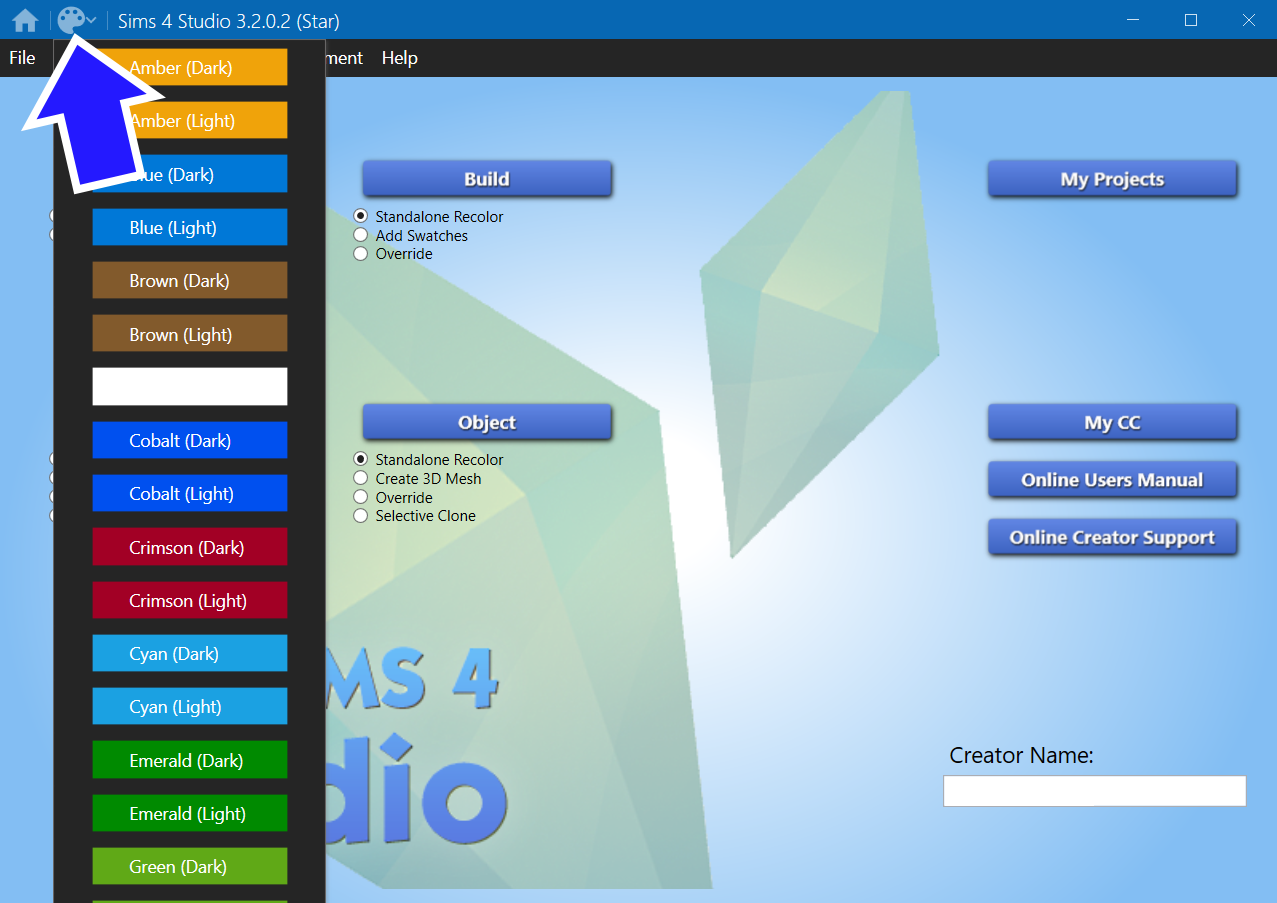
    After launching the program, users will see a variety of options. The main interface includes tabs for different functions such as creating new content, importing existing content, and fixing broken content. Each tab serves a specific purpose, making navigation intuitive.

    Creating custom content

    Creating custom content is one of the most popular uses of Sims 4 Studio. Select the “Create” tab and choose the type of content to modify or create. Options include objects, clothing, and accessories. Follow the prompts to import textures and meshes, then use the editing tools to customize every aspect.

    How to fix broken cc with Sims 4 studio?

    Broken custom content can disrupt gameplay. Sims 4 Studio offers tools to identify and fix these issues. Navigate to the “Tools” tab and select “Batch Fixes.” This feature scans the game files for broken content and automatically repairs them. It’s an invaluable tool for maintaining a smooth gaming experience.

    How to update cc with Sims 4 studio?

    Updating custom content ensures compatibility with new game updates. Use the “Batch Fixes” feature to update existing content. This option will adapt older mods to work seamlessly with the latest game patches. Regular updates are essential for a glitch-free gaming experience.

    Tips for optimizing performance

    Optimizing Sims 4 Studio settings can enhance performance. Adjusting the memory allocation and rendering settings can make the software run more smoothly. These adjustments are especially beneficial for users working on large projects with multiple assets.

    Common issues and solutions

    Installation problems

    Some users may encounter issues during installation. Common problems include antivirus software blocking the installer or incomplete downloads. Disabling antivirus temporarily and ensuring a stable internet connection can resolve these issues.

    Compatibility errors

    Compatibility errors can occur if the tool is not updated. Always ensure the latest version is installed. If issues persist, check for any conflicting mods that may need updating.

    Performance lags

    Performance lags can be mitigated by optimizing settings. Closing unnecessary background applications can also improve performance. Regularly clearing the cache within the software can prevent slowdowns.

    Community support and resources

    The Sims 4 community is a valuable resource for users of Sims 4 Studio. Online forums, tutorials, and user groups offer a wealth of information. Engaging with the community can provide additional tips and tricks for maximizing the tool’s potential.

    Future updates and features

    Sims 4 Studio continues to evolve. Future updates promise even more features and improvements. Staying informed about these updates can help users take full advantage of new capabilities. The official website and community forums are excellent sources for the latest news.

    Sims 4 Studio is an indispensable tool for Sims 4 enthusiasts. It offers endless possibilities for creating and customizing content. By understanding how to use and maintain the tool, players can enhance their gaming experience. For those eager to explore more, consider booking a session with a Sims 4 expert for personalized guidance and tips. Happy simming!

  • Best Sims 4 mods: Transform your Sims experience with these must-have mods

    Best Sims 4 mods: Transform your Sims experience with these must-have mods

    This blog explores the best Sims 4 mods to take your gaming experience to the next level.

    The Sims 4 is a beloved sandbox game that allows players to build their dream homes, craft unique stories, and create intricate worlds. However, even the most dedicated Simmer can crave more variety and depth. Enter the world of mods. These user-created modifications breathe new life into the game, offering fresh features, enhanced gameplay, and limitless possibilities.

    What are Sims 4 mods?

    Mods, short for modifications, are custom additions to games that change or add new features. In The Sims 4, mods can range from simple tweaks to major overhauls. They can fix bugs, add new objects, introduce gameplay mechanics, and even alter the game’s core functions. For anyone looking to expand their Sims universe, mods are a game-changer.

    What are the best Sims 4 mods

    Mods keep the game exciting. They introduce new elements that can make gameplay more engaging and fun. With mods, gamers can customize their experience to suit personal tastes. From new furniture sets to unique character traits, mods provide endless customization. You can see a list of the 20 best Sims 4 mods here.

    Getting started with Sims 4 mods

    Installing mods is straightforward. First, download a mod file from a trusted site. Then, place the file in the “Mods” folder within the game’s directory. Ensure best Sims 4 mods are enabled in the game settings, and you’re good to go. Always read the mod’s instructions and check for compatibility with the current game version.

    Modding safety tips

    While mods enhance the game, it’s crucial to follow safety precautions. Only download mods from reputable sources to avoid malware. Keep the game and best Sims 4 mods updated to prevent crashes. Backup game files regularly, especially before adding new best Sims 4 mods.

    Best Sims 4 mods: Mc command center

    The MC Command Center is a powerful mod that offers extensive control over the game’s settings. Adjust Sim lifespans, change relationship dynamics, and even manage pregnancies. It’s ideal for players who want more control over their simulation.

    Slice of life mod

    For a more realistic experience, the Slice of Life mod adds new emotions, health conditions, and personality traits. Sims can get sick, feel more varied emotions, and even display physical changes like blushing or crying. This mod brings added depth to character interactions.

    Best Sims 4 mods: Basemental drugs

    Not for the faint-hearted, the Basemental Drugs mod introduces a darker, more mature side to The Sims 4. It adds drugs, alcohol, and all the consequences that come with them. This mod is perfect for those looking to add drama and realism to their game.

    Wicked whims

    Wicked Whims is a popular mod that adds explicit adult content to the game. It includes detailed romantic interactions, a variety of custom animations, and even a menstrual cycle for female Sims. This mod is for mature audiences looking to deepen their Sims’ relationships.

    Life’s drama mod

    Life’s Drama Mod adds spontaneous events that make the game world feel more dynamic. From public arguments to random accidents, this mod ensures there’s always something unexpected happening. It keeps the gameplay lively and unpredictable.

    Road to fame

    Aspiring celebrities will love the Road to Fame mod. It introduces careers in singing, acting, and modeling. Sims can gain followers, earn fame points, and even deal with paparazzi. This mod is perfect for those looking to explore the glitz and glamour of stardom.

    Extreme violence mod

    The Extreme Violence mod is not for everyone, but it adds a level of chaos that’s hard to resist. Sims can engage in criminal activities, commit crimes, and face the consequences. This mod is for those who want to explore the darker side of Sim life.

    Better buildbuy

    For builders, the Better BuildBuy mod is a must. It reorganizes the build/buy menu, making it easier to find items. It also unlocks hidden objects and provides more control over item placement. This mod is essential for anyone who loves creating intricate homes and lots.

    Meaningful stories

    The Meaningful Stories mod revamps the way Sims experience emotions. It introduces a more nuanced emotional system, where moods last longer and have more impactful effects. This mod adds a layer of realism to emotional interactions.

    Best Sims 4 mods: The road to romance

    Spice up your Sims’ love lives with the Road to Romance mod. It adds new romantic interactions, relationship levels, and even a matchmaking service. This mod is perfect for players seeking deeper and more meaningful romantic relationships.

    Best Sims 4 mods transform The Sims 4 into an endlessly customizable playground. Whether looking to add realism, drama, or just some quirky new features, there’s a mod out there for every player. Remember to download mods from reputable sources, keep them updated, and always back up your game files. Ready to elevate your Sims experience? Try out some of these best Sims 4 mods and see how they can enhance your gameplay.

  • Mastering Sims 4 Skill Cheat Tips You Need to Know

    Mastering Sims 4 Skill Cheat Tips You Need to Know

    Source : Darielle

    This blog post will explore some of the best Sims 4 skill cheat, helping gamers, Sims 4 enthusiasts, and esports fans get the most out of their gameplay.

    Sims 4 is an incredibly popular life simulation game that allows players to create and control virtual people, known as Sims. One of the key aspects of the game is developing your Sims’ skills. However, not everyone has the time to painstakingly level up each skill. That’s where cheats come in handy.

    Why skill cheats matter in Sims 4

    Sims 4 skill cheat can make a significant difference in how you play Sims 4. They allow you to quickly level up skills, unlocking new interactions and items. Whether you’re aiming to create a master chef or a fitness guru, cheats can save you hours of grinding.

    Using Sims 4 skill cheat also adds a layer of fun and creativity. Imagine having a Sim who is a jack-of-all-trades, excelling in all skills. This can lead to interesting storylines and gameplay scenarios that are otherwise time-consuming to achieve.

    In essence, Sims 4 skill cheat provide a shortcut to fully experiencing what Sims 4 has to offer. They allow players to focus on storytelling and other aspects of the game without getting bogged down by the slow process of skill development.

    How to cheat skill level Sims 4

    Cheating skill levels in Sims 4 is straightforward. Open the cheat console by pressing Ctrl + Shift + C on your keyboard. Then, type testingcheats true and press Enter. This will enable cheat mode in your game.

    Next, you’ll need to use a specific cheat code to increase a skill level. For example, to max out the cooking skill, type stats.set_skill_level Major_HomestyleCooking 10. Press Enter, and your Sim’s cooking skill will immediately reach level 10.

    Remember to replace “Major_HomestyleCooking” with the appropriate skill code for other skills. This simple trick can drastically enhance your gaming experience, allowing you to create Sims that excel in various areas.

    You can see different cheat codes here.

    How to cheat cooking skill Sims 4

    Cooking is one of the most essential Sims 4 skill cheat. It allows Sims to prepare better meals, which can boost their mood and overall well-being. To cheat the cooking skill, follow these steps.

    First, open the cheat console by pressing Ctrl + Shift + C, then type testingcheats true and press Enter. Once cheat mode is activated, type stats.set_skill_level Major_HomestyleCooking X. Replace “X” with the desired skill level, where 1 is the lowest and 10 is the highest.

    For those who love baking, there’s a separate skill called Baking. Use the code stats.set_skill_level Major_Baking X to level up this skill. This cheat is perfect for players who want their Sims to become culinary masters without spending hours in the kitchen.

    How to cheat fitness skill Sims 4

    Fitness is another crucial skill in Sims 4, especially for Sims who aspire to be athletes or just want to stay in shape. Here’s how to cheat the fitness skill.

    Open the cheat console by pressing Ctrl + Shift + C, then type testingcheats true and press Enter to enable cheat mode. Next, type stats.set_skill_level Skill_Fitness X, replacing “X” with the desired skill level.

    Fitness Sims 4 skill cheat can be particularly useful for Sims who need to improve their physical abilities quickly. Whether you’re preparing for a sports competition or just want a Sim with a toned physique, this cheat will get you there faster.

    Enhancing creativity skills with cheats

    Creativity is a versatile skill in Sims 4, encompassing areas like painting, writing, and music. To cheat creativity-related skills, similar steps apply.

    Open the cheat console with Ctrl + Shift + C, type testingcheats true, and press Enter. Then, use codes like stats.set_skill_level Major_Painting X for painting, stats.set_skill_level Major_Writing X for writing, and stats.set_skill_level Major_Piano X for piano.

    These cheats can help Sims excel in artistic fields, making it easier to complete aspiration goals and earn money through creative endeavors. Whether your Sim dreams of becoming a best-selling author or a famous musician, Sims 4 skill cheat can turn those aspirations into reality.

    Mastering logic and mental skills with cheats

    Logic and mental skills are essential for Sims interested in careers like science or technology. To cheat these skills, follow the usual process.

    Press Ctrl + Shift + C to open the cheat console, type testingcheats true, and hit Enter. For logic, use stats.set_skill_level Major_Logic X. For other mental skills like programming or video gaming, use stats.set_skill_level Major_Programming X or stats.set_skill_level Major_VideoGaming X.

    These cheats can quickly turn your Sims into geniuses, ready to tackle any intellectual challenge. Perfect for players looking to speed up career progressions or unlock advanced interactions.

    How to cheat charisma and social skills

    Charisma and social skills are vital for Sims who want to succeed in social settings or careers like politics and entertainment. Cheating these skills can give your Sims an edge in social interactions.

    Open the cheat console with Ctrl + Shift + C, type testingcheats true, and press Enter. For charisma, use stats.set_skill_level Major_Charisma X. To boost other social skills, find the appropriate skill code and replace “X” with the desired level.

    These cheats can help your Sims build relationships faster, improve their chances in job interviews, and excel in public speaking. Whether your Sim wants to be a celebrity or a politician, social Sims 4 skill cheat can pave the way.

    Boosting gardening and fishing skills

    Gardening and fishing are popular hobbies in Sims 4, offering a relaxing way to spend time and earn extra income. To cheat these skills, follow the same basic steps.

    Open the cheat console by pressing Ctrl + Shift + C, type testingcheats true, and press Enter. For gardening, use stats.set_skill_level Major_Gardening X. For fishing, type stats.set_skill_level Major_Fishing X.

    These cheats can help your Sims become expert gardeners or anglers in no time. Perfect for players who love outdoor activities and want to maximize their harvests and catches.

    Enhancing handiness and repair skills

    Handiness is a useful skill for Sims who like to fix things around the house or craft furniture. To cheat this skill, here’s what to do.

    Open the cheat console with Ctrl + Shift + C, type testingcheats true, and press Enter. Use the code stats.set_skill_level Major_Handiness X to level up this skill.

    This cheat can save your Sims from costly repairs and improve their crafting abilities. Ideal for players who enjoy DIY projects and want their Sims to be self-sufficient.

    Improving parenting skills quickly

    Parenting is a relatively new skill introduced in the Parenthood expansion pack. It helps Sims become better caregivers, guiding their children to success.

    To cheat parenting skills, open the cheat console by pressing Ctrl + Shift + C, type testing cheats true, and hit Enter. Use the code stats.set_skill_level Major_Parenting X to increase this skill.

    This cheat can make parenting less stressful and more rewarding, allowing Sims to teach valuable life lessons and earn positive character values for their children.

    Advancing vampire and supernatural skills

    For those who enjoy the supernatural aspects of Sims 4, there are cheats to enhance vampire and other occult skills.

    Open the cheat console with Ctrl + Shift + C, type testingcheats true, and press Enter. For vampire lore, use stats.set_skill_level VampireLore X. For other supernatural skills, find the appropriate code and replace “X” with the desired level.

    These cheats can help your occult Sims master their abilities faster, unlocking powerful interactions and abilities unique to their supernatural status.

  • Discover the latest Sims 4 update and what it brings to your virtual world

    Discover the latest Sims 4 update and what it brings to your virtual world

    This article dives deep into everything you need to know about the newest Sims 4 update, including its release date, how to update your game, and the benefits it offers.

    The world of Sims 4 is always evolving, bringing new content and features that keep gamers engaged and excited. The latest update promises to be no different.

    When is the next Sims 4 update?

    Excitement is building as the next Sims 4 update approaches. Gamers are eager to explore the new features and improvements that will enhance their gaming experience. According to recent announcements, the update is set to roll out on [6/6-2024 – check the official site for accurate info]. This update is expected to bring a slew of new items, gameplay tweaks, and bug fixes.

    Players can look forward to a more immersive and seamless experience as the developers have worked hard to address community feedback. Whether you’re a fan of building, storytelling, or simply managing the lives of your Sims, this update has something for everyone.

    For those wondering what specific changes to expect, the official Sims 4 website and forums are great resources to stay informed. Keep an eye out for teasers and patch notes leading up to the release date.

    How to update Sims 4

    Sims 4 update to the latest version is a straightforward process, ensuring that players can quickly enjoy the new content. First, make sure your game client, whether it’s through Origin, Steam, or another platform, is running.

    • For Origin users, open the Origin client and log in to your account. Navigate to “My Game Library,” right-click on Sims 4, and select “Update Game.” The client will automatically download and install the latest update.
    • Steam users should open the Steam client, go to their Library, find Sims 4, and check for updates. If an update is available, click “Update” to start the process.
    • Console players can update by navigating to the game’s icon on their home screen, pressing the options button (on PlayStation) or menu button (on Xbox), and selecting “Check for Update.”

    Once the update is downloaded, launch Sims 4 to enjoy the new features. It’s always a good idea to back up your save files before updating, just in case any issues arise during the process.

    When was the last Sims 4 update?

    The last major Sims 4 update was released on 6/6-2024. This update introduced several exciting features and improvements that significantly enhanced gameplay.

    One of the standout additions was the introduction of new build items, allowing players to create even more intricate and personalized homes for their Sims. From new furniture pieces to architectural elements, the options for creativity expanded greatly.

    Additionally, the previous update addressed various bugs and performance issues reported by the community. These fixes helped ensure a smoother and more enjoyable experience for all players. The update also included a few surprise elements, such as seasonal events and limited-time challenges that kept the community engaged.

    You can always stay updated with the latest Sims 4 news here.

    New gameplay features

    The upcoming update is expected to introduce a range of new gameplay features that will delight long-time fans and newcomers alike. These features aim to add depth and variety to the Sims 4 experience, making it even more immersive.

    One anticipated addition is the expansion of career options for Sims. Players can look forward to new job roles, career paths, and work-from-home opportunities that reflect modern trends. This change is expected to add more layers to the daily lives of Sims, giving players new goals and challenges to pursue.

    Another exciting feature is the enhancement of social interactions. The update promises to introduce new conversational topics, relationship dynamics, and social events. These improvements will make interactions between Sims feel more realistic and engaging, adding complexity to their personal stories.

    Improved customization options

    Customization is a key aspect of Sims 4, and the latest update aims to take it to the next level. Players will have access to a wider variety of clothing, accessories, and hairstyles to personalize their Sims.

    The update will also introduce new build and buy mode items, allowing for more creative freedom when designing homes and lots. From unique furniture pieces to decorative elements, the possibilities for customization are endless.

    Additionally, the update will include new traits and aspirations for Sims. These additions will provide fresh ways to develop and shape the personalities and goals of your characters, adding depth to their stories.

    Enhanced performance and bug fixes

    Performance improvements and bug fixes are always a priority for Sims 4 updates, and this one is no exception. The development team has been hard at work addressing issues reported by the community to ensure a smoother gameplay experience.

    Players can expect faster load times, reduced lag, and improved stability across all platforms. These enhancements will make playing Sims 4 more enjoyable, especially for those with older hardware.

    Bug fixes will address a variety of issues, from minor graphical glitches to more significant gameplay problems. The development team has listened to player feedback and prioritized fixes for the most common and disruptive bugs.

    Exclusive deals for subscribers

    Subscribers to the Sims 4 newsletter will be treated to exclusive deals and offers as part of the latest update. These perks include discounts on expansion packs, early access to new content, and special in-game items.

    Signing up for the newsletter is easy and provides numerous benefits. Not only will subscribers receive the latest news and updates directly in their inbox, but they will also be eligible for limited-time promotions and giveaways.

    This initiative aims to reward loyal fans and keep them engaged with fresh content and exciting opportunities.

    Community engagement and events

    The Sims 4 community is vibrant and active, and the latest update will introduce new ways for players to connect and engage with each other. From community challenges to in-game events, there will be plenty of opportunities to interact with fellow Simmers.

    Special events tied to the update will offer unique rewards and experiences. These events are designed to bring players together, fostering a sense of camaraderie and shared excitement.

    Furthermore, the official Sims 4 forums and social media channels will be buzzing with discussions, tips, and fan creations related to the update. Joining these platforms is a great way to stay informed and connect with other enthusiasts.

    New expansion packs and game packs

    In addition to the free update, players can look forward to new expansion packs and game packs that will be released alongside it. These packs will introduce even more content and gameplay options, expanding the possibilities within Sims 4.

    Expansion packs typically add significant new features, such as new worlds, careers, and gameplay mechanics. They offer a deeper and more immersive experience, allowing players to explore new aspects of their Sims’ lives.

    Game packs, on the other hand, focus on specific themes or activities, providing targeted content that enhances certain aspects of the game. Both types of packs are designed to complement the base game and offer new ways to enjoy Sims 4.

    Customizing your sims with new traits and aspirations

    Traits and aspirations play a crucial role in shaping the personalities and goals of Sims. The latest update will introduce new traits and aspirations that add depth and variety to character development.

    Players can choose from a wider selection of traits that influence how Sims behave, interact, and pursue their ambitions. These traits will provide new opportunities for storytelling and gameplay, making each Sim unique.

    Aspirations, which represent the long-term goals of Sims, will also be expanded. New aspirations will offer fresh challenges and rewards, encouraging players to explore different paths and achieve their Sims’ dreams.

  • UI Cheats Sims 4 – Master Features, Installation, and Tips

    UI Cheats Sims 4 – Master Features, Installation, and Tips

    Ever felt stuck in Sims 4, wishing there was a magical way to make things easier? Enter the world of UI cheats Sims 4, a game-changer for gamers and Sims enthusiasts alike.

    Whether you want to give your Sims an instant boost in their career or need to fix an annoying bug, UI cheats have got you covered. This blog will guide you through everything you need to know about ui cheats Sims 4, from how to use them, to exploring the various extensions available. By the end of this post, you’ll be a ui cheats Sims 4 pro, ready to elevate your Sims 4 experience.

    You can check out the UI Cheats Extension by weerbesu

    Or check out the UI Cheats Extension for Legacy Edition

    What are UI cheats Sims 4?

    UI cheats in Sims 4 are modifications or “mods” that allow players to manipulate the game’s user interface (UI). This can range from changing a Sim’s needs to altering their skills and even modifying the in-game clock. Unlike traditional cheats, ui cheats Sims 4 offer a more streamlined and user-friendly way to enhance gameplay. Imagine being able to drag and drop to adjust your Sim’s mood or instantly complete aspirations with a simple click. That’s the power of ui cheats Sims 4.

    Source : ZombieGirl

    Why use UI cheats?

    Using UI cheats can make the game more enjoyable and less frustrating. For instance, if a Sim is on the verge of starvation, a quick adjustment can save their life. Additionally, UI cheats provide a level of control that traditional cheats can’t match. This allows for a more customized and efficient gaming experience. Imagine completing a Sim’s career milestone instantly, freeing up time to focus on more enjoyable aspects of the game.

    How to install UI cheats Sims 4

    Installing UI cheats is a straightforward process. First, download the mod from a reliable source, such as Patreon or ModTheSims. Extract the downloaded files into the “Mods” folder in your Sims 4 directory. Make sure to enable custom content and script mods in the game’s settings. Restart the game, and the UI cheats Sims 4 should be ready to use. It’s that simple!

    Source : Simplicitysimlife

    How to use UI cheats Sims 4

    Using UI cheats Sims 4 involves interacting directly with the game’s user interface. Right-clicking on various elements of the UI brings up options for modifying different aspects of the game. For example, right-clicking on a Sim’s needs bar allows you to adjust their hunger, energy, or bladder levels. Similarly, right-clicking on a skill bar lets you set the skill to any level you desire. The aim is to make gameplay more efficient and enjoyable.

    Source : JNG

    UI cheats extension Sims 4

    The UI cheats extension is an add-on that enhances the functionality of the basic UI cheats mod. This extension offers additional features such as the ability to manipulate the in-game clock, instantly complete aspirations, and even change the weather. Installing the extension involves the same steps as the basic mod. Simply download, extract, and place the files in the “Mods” folder. The added features can significantly elevate your gaming experience.

    Popular UI cheats features

    Adjusting needs and moods

    One of the most popular features of UI Cheats Sims 4 is the ability to adjust a Sim’s needs and moods. Right-clicking on the needs bar allows you to fill or deplete any of the needs instantly. This is particularly useful for maintaining a Sim’s well-being without constantly micromanaging their activities.

    Manipulating skills and careers

    UI cheats also allow for easy manipulation of skills and careers. Right-clicking on a skill bar lets you set the skill level to any desired value. This can be a huge time-saver, especially for skills that take a long time to level up. Similarly, career progress can be adjusted with a few clicks, making it easier to achieve career milestones.

    Controlling the in-game clock

    Another useful feature is the ability to control the in-game clock. This can be done by right-clicking on the clock in the bottom-left corner of the screen and entering the desired time. This feature is particularly useful for completing time-sensitive tasks or simply synchronizing the game to a preferred schedule.

    Source : Iron Seagull

    Troubleshooting common issues

    Despite its benefits, users might encounter some issues while using ui cheats Sims 4. Common problems include the mod not loading or certain features not working as expected. In such cases, make sure the mod is correctly installed and that custom content and script mods are enabled in the game settings. Additionally, check for updates to ensure compatibility with the latest version of Sims 4.

    Benefits of using UI cheats

    Time-saving

    One of the primary benefits of using ui cheats Sims 4 is the significant amount of time saved. Players can skip mundane tasks and focus on more enjoyable aspects of the game. This is especially beneficial for those who have limited time to play and want to make the most out of their gaming sessions.

    Enhanced gameplay

    UI cheats offer a level of customization that can enhance overall gameplay. Whether it’s adjusting needs, manipulating careers, or controlling the clock, these cheats provide a more tailored gaming experience. This can make the game more enjoyable and less frustrating.

    Easy to use

    Unlike traditional cheats, UI cheats are incredibly user-friendly. The intuitive interface allows players to make adjustments with just a few clicks. This ease of use makes it accessible to both new and experienced players, ensuring everyone can benefit from its features.

    Source : Nardvillain

    Community feedback on UI cheats

    The Sims 4 community has generally positive feedback regarding ui cheats Sims 4. Many players appreciate the added control and customization options that the mod provides. It has become a staple for many, enhancing their overall gaming experience. Online forums and social media platforms are filled with testimonials praising the mod’s functionality and ease of use.

    Safety and reliability

    When downloading any mod, safety and reliability are crucial. Always download UI cheats from trusted sources to avoid malware or corrupted files. Reputable sites like ModTheSims and Patreon are recommended. Additionally, keep an eye on updates to ensure the mod remains compatible with the latest game version.

    Alternatives to UI cheats

    While ui cheats Sims 4 are highly popular, other mods and extensions offer similar functionalities. Some alternatives include MC Command Center and TwistedMexi’s AllCheats. Each has its unique features and benefits, providing players with multiple options to enhance their Sims 4 experience.

  • Unleashing creativity with mccc Sims 4

    Unleashing creativity with mccc Sims 4

    Mccc Sims 4 enthusiasts know that the game is all about creativity and customization.

    One tool that has taken this to the next level is the MC Command Center (MCCC). This powerful mod offers a wealth of options to enhance the gaming experience, making it a must-have for serious players. Let’s explore how mccc can transform gameplay and provide some step-by-step guides on how to use its features.

    Understanding mccc

    The MC Command Center is a mod created by Deaderpool that offers a plethora of features to extend the functionality of mccc Sims 4. From changing work outfits to managing career settings, mccc provides flexibility that the base game lacks. This makes mccc a favorite among gamers and esports fans who love to customize every aspect of their gameplay.

    Why gamers love mccc

    mccc adds a new layer of depth to mccc Sims 4 by allowing players to tweak settings that are otherwise fixed. For instance, the ability to change work outfits or modify career settings can make the game feel more personalized. With mccc, the possibilities are nearly endless, making it a valuable tool for anyone looking to enhance their mccc Sims 4 experience.

    How to download mccc Sims 4

    Downloading mccc is straightforward but requires a few steps to ensure it functions correctly. First, visit the official site Deaderpool MCCC. Navigate to the Downloads section and choose the latest version compatible with the mccc Sims 4. Extract the downloaded files into the Mods folder located in the mccc Sims 4 directory. Ensure that script mods are enabled in the game settings. Restart the game, and mccc should be ready to use.

    Setting up mccc for the first time

    After installing mccc, it’s essential to configure the settings to suit individual preferences. Open the game and click on any computer or Sim to access the mccc menu. Here, various options like MC Tuner, MC Cheats, and MC Cleaner can be customized. For first-time users, it’s advisable to explore each option to understand its functionality better.

    Sims 4 how to change work outfit mccc

    One of the standout features of mccc is the ability to change work outfits. This can add a personal touch to Sims’ careers. To change a work outfit, click on a Sim and select “MC Dresser.” From there, choose the “Change Career Outfit” option. Browse through the available outfits or customize one using the game’s outfit editor. This feature allows players to reflect their Sims’ personalities better.

    How to change career outfit sims 4 mccc

    Customizing career outfits is similar to changing work outfits but offers more detailed options. Again, go to “MC Dresser,” then “Change Career Outfit.” In this menu, not only can existing outfits be modified, but entirely new ones can be created. This adds another layer of customization, making each Sim’s career unique and engaging.

    Exploring other mccc features

    Beyond changing outfits, mccc offers a host of other features. MC Cheats allows for the modification of various game parameters, such as money and skills. MC Tuner can adjust game mechanics, like the frequency of autonomous actions. MC Cleaner helps keep the game running smoothly by cleaning out unnecessary data. Each of these features can significantly enhance the gameplay experience.

    Improving gameplay with mccc

    The ability to tweak minor details can make a big difference in mccc Sims 4. For example, adjusting the lifespan of Sims or modifying relationship dynamics can add a new level of strategy to the game. These changes can make the game feel fresh and exciting, even for long-time players.

    Community and support for mccc

    The mccc community is active and supportive, offering a wealth of resources for new and experienced users alike. Online forums and the official mccc site provide tutorials, FAQs, and troubleshooting guides. This makes it easier to solve any issues that may arise and to make the most of the mod’s features.

    Staying updated with mccc

    Keeping mccc up-to-date is crucial for optimal performance. Regular updates are released to fix bugs and add new features. It’s advisable to check the official site periodically for the latest version. Updating is simple; download the new version and replace the existing files in the Mods folder.

    Maximizing the potential of mccc

    To get the most out of mccc, consider exploring all its features thoroughly. Experiment with different settings to see how they affect gameplay. The more familiar users become with mccc, the more they can customize and enhance their mccc Sims 4 experience.

    MC Command Center is a powerful tool that can transform the mccc Sims 4 experience. From changing work and career outfits to tweaking game mechanics, the possibilities are endless. Whether a seasoned player or a newcomer, mccc offers something for everyone. Explore, experiment, and enjoy a more personalized and engaging Sims 4 experience.

    For those eager to take their mccc Sims 4 gameplay to the next level, mccc is the perfect tool. Download it today and start exploring its vast array of features.