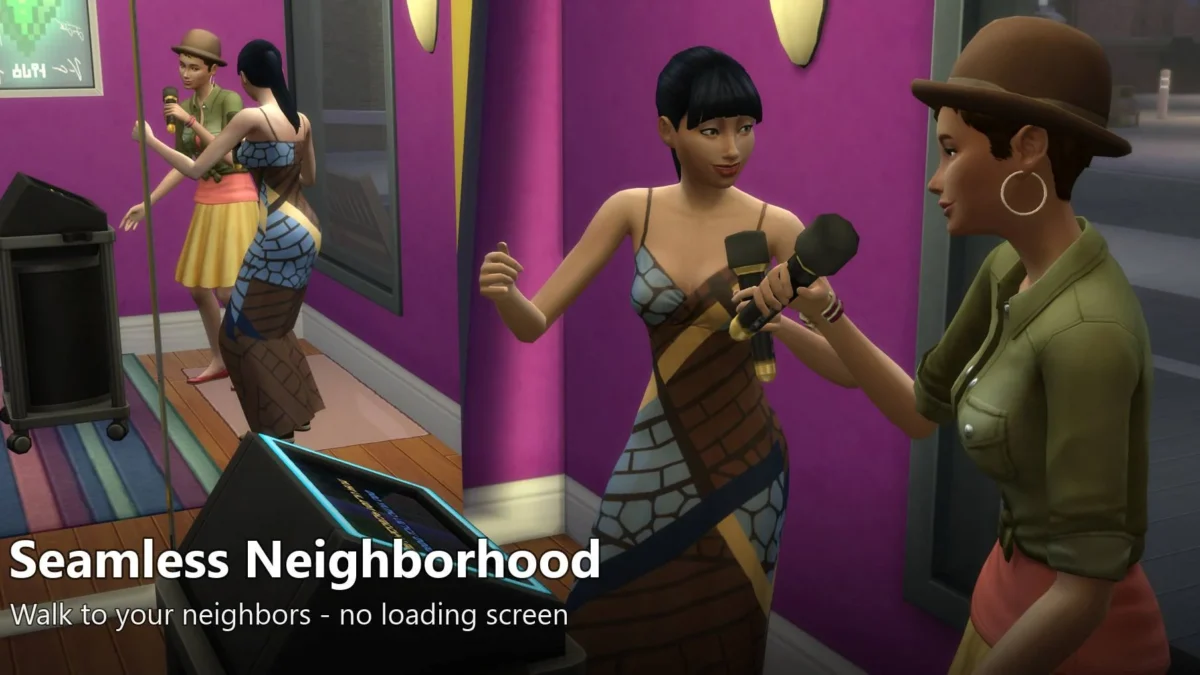
Seamless Neighborhood is a new Sims 4 script mod that loads your whole street together with your home lot, so your Sims can walk next door to a neighbor’s house, a gym or a karaoke bar without a loading screen. It is made by the modder Elbekri, it is on CurseForge, and it reached version 1.0.6 on November 26, 2026. The catch: it runs on Windows only.
This mod does not turn The Sims 4 into an open world like The Sims 3, but it removes the loading screen for the lots on your own street. As one player put it in the Reddit thread where the mod was shared, they wish for open worlds like in The Sims 3, “but I’ll take it”.
Want more sims4life.gg in your Google results?
Add to Preferred SourcesWhat the mod does
According to the mod page, the neighboring lots load with yours: the ground, the houses, the objects and the upper floors. You click objects and use “Go Here” on them just like on your own lot. Here is what changes in play:
- You walk instead of traveling. Travel interactions are removed for the open neighbors on your street.
- You still ring the doorbell. As in the base game, your Sim cannot just walk into a lived-in house. A resident has to let you in. Neighbors who gave you a key and public venues are always open.
- Neighbors live their lives. Households you do not play use their homes, go to work or school and come back.
- Public venues next door are busy. Bars, cafés, gyms, libraries, parks, restaurants, karaoke bars and shops get their own customers and staff on the game’s normal schedules.
- Apartments work too. In a San Myshuno high-rise, the elevator takes your Sim down to the street on foot, and you can visit another apartment in your building once the residents let you in.
- Ultra speed is fixed. Awake neighbors no longer block ultra speed while your Sims sleep. Clicking speed 3 a second time forces ultra speed.
Traveling to another neighborhood still uses a normal loading screen. In the creator’s own demo, a trip to Uptown loads as usual, and on loading a save the mod reloads the lot once so the neighboring houses are drawn correctly.
Elbekri posted an uncut 13 minute gameplay demo on YouTube. It shows a visit to the neighbors in an apartment building, the karaoke bar and gym next door, and a walk to the Goth mansion in Willow Creek:
Who can use it
| Creator | Elbekri |
| Latest version | 1.0.6 (updated November 26, 2026) |
| Tested on | Game version 1.129.39.1030 |
| Platform | Windows only. It does not work on Mac or console |
| Packs required | None |
| Worlds | Every installed world, including San Myshuno apartments |
| Languages | In-game messages in all 18 game languages |
| Download | CurseForge |
Mac players are left out for now. The creator writes plainly on the mod page that it does not work on Mac. Console versions of The Sims 4 do not support script mods at all.
How to install Seamless Neighborhood
- Back up your save first. The creator asks for this before you try the mod.
- In Options, Game Options, Other, turn on “Custom Content and Mods” and “Script Mods Allowed”, then restart the game.
- Extract the zip and put the SeamlessNeighborhood folder in Documents/Electronic Arts/The Sims 4/Mods. Keep it at most one folder deep.
- The folder holds three files. SeamlessNeighborhood.ts4script and SeamlessNeighborhood_Strings.package are required. SeamlessNeighborhood_UI.package is optional and only turns the speed 3 button orange during ultra speed.
You can switch the mod off and on in the cheat console (Ctrl+Shift+C) with seamless.off, seamless.on and seamless.status. No cheats need to be enabled for these. To uninstall, delete the folder. New to script mods? Our guide on how to install mods in The Sims 4 covers the basics.
Known limits and what to watch
- Sims can take odd routes on very long walks. The creator says this is still being polished.
- Clicking a neighbor’s wall or roof from outside gives “Go Here” instead of the lot menu.
- Breaking in still travels with a loading screen, as in the base game.
- It has not yet been tested with other script mods that change travel or lot loading. Version 1.0.6 improved compatibility with mods that change game speed or the loading screen.
The mod is very new. Seven versions went up on CurseForge in just over a week, and several fixed serious problems, such as Sims freezing in place with the game clock stopped (fixed in 1.0.4) and repeated LastException errors from sectional sofas (fixed in 1.0.2). In the Reddit thread where the mod was shared, one player wrote that they would wait about a month after seeing comments about broken saves. For a long-running save, waiting is a sensible choice, and a backup is a must.
There is also a patch coming. EA’s December 1 update lands on Monday. The creator says the mod looks up the game functions it needs on its own after an update, and if EA changes them, it turns itself off safely and shows a notice. Your saves are not affected. If the speed buttons look wrong after the patch, remove the optional UI file until the mod is updated. Check our mod status tracker after the patch, and use Better Exceptions if something breaks. The creator asks for bug reports in the CurseForge comments with your game version, the world and the SeamlessNeighborhood.log file from the mod folder.
FAQ
Does Seamless Neighborhood make The Sims 4 an open world?
No. It loads the lots on your own street together with your home lot. A regular trip to another neighborhood, such as Uptown in the creator’s demo, still uses a normal loading screen.
Does it work on Mac?
No. The creator says it is Windows only.
Do I need any packs?
No pack is required, and every installed world is supported.
Can I walk into any neighbor’s house?
Not without asking. You ring the doorbell, and a resident has to let you in. Public venues and neighbors who gave you a key are always open. The mod includes an option file called all_open that changes this.
What happens if I remove the mod?
Delete the folder. According to the creator, the neighboring houses stay saved on their own lots, as in the base game.
Sources: Seamless Neighborhood on CurseForge (description, changelog and file list, read November 28, 2026), the creator’s gameplay demo on YouTube, and the r/thesims thread where the mod was shared. Feature image: Elbekri via CurseForge. Seamless Neighborhood is a fan-made mod and is not made, endorsed or supported by Electronic Arts or Maxis.